
Choose Digital Signage with Confidence
This guide walks you through the decisions that set your project up for success, plus the vendor evaluation checklist to bring to every conversation.

Screen
The part everyone sees, chosen for size, brightness, form factor, and indoor or outdoor use.
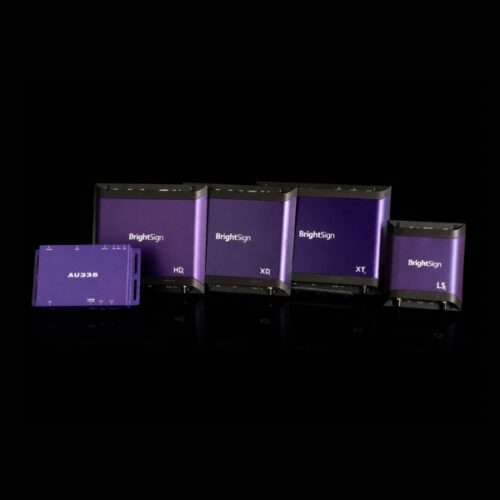
Media Player
The device that plays your content on schedule and recovers on its own when something fails.
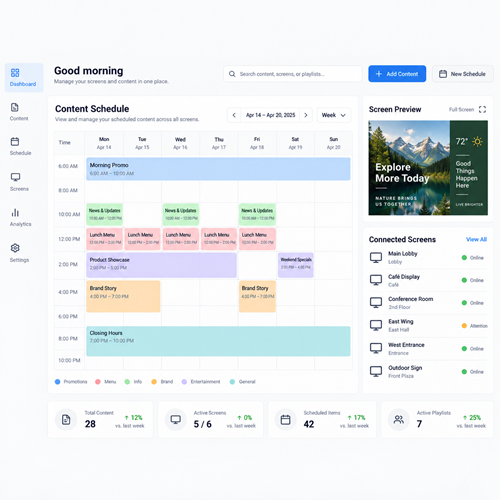
CMS
The software your team uses to build playlists, schedule promotions, and update any screen from anywhere.
Everything You Need for Your Buying Journey
Our Buyer’s Guide to Digital Signage walks you through the full buying process, in the order decisions actually get made:
- How to define the experience you want, today and in the future
- Who needs to be in the room before you start shopping, and why
- Questions to answer before you purchase
- What digital signage really costs to own, not just to buy
- A side-by-side comparison of the most common platforms you’ll encounter
- A vendor evaluation checklist, so every vendor gets held to the same standard
Sneak Peek at the Vendor Checklist
Most digital signage platforms describe themselves in similar terms, which makes side-by-side comparison harder than it should be. Our Buyer’s Guide to Digital Signage contains a vendor evaluation checklist that gives you specific questions to ask each vendor, so you can compare answers and choose with confidence.
- Hardware lifecycle, quality, and availability
- Security and support
- Device management and scalability
- Resolutions, power, and storage
The Buyer’s Guide to Digital Signage
Ready to start planning your digital signage project? Our Buyer’s Guide to Digital Signage is a comprehensive resource to help you make a well-informed purchase, including:
- What you’re really buying, including the part most buyers overlook
- Who to involve and what to ask before you shop
- Total cost of ownership, backed by third-party research
- A comparison of the top platforms you’ll encounter
- A vendor evaluation checklist to help you vet the competition
Download Your Guide
Why Trust BrightSign?

5+ years
of BrightSignOS™ updates

5-year
industry-leading warranty*

200+
certified CMS partners
*Warranty program applies to Series 5 and beyond players purchased from BrightSign after January 1, 2025. Warranty program does not apply to accessories.
Learn more at https://www.brightsign.biz/brightsign-players/warranty/.


