Digital Signage for Frontline Workers
By Carolyn Voelkening, Chief Delivery Officer, Appspace
How to Reach a Deskless Workforce
A maintenance tech clocks in at 6 a.m., picks up a work order, and heads out to respond. They don’t open their corporate inbox until lunch, if at all. That means they don’t see the procedure update email you marked URGENT.
That tech represents most of your workforce. They aren’t ignoring you. Your communications channels just don’t work for frontline employees like them.
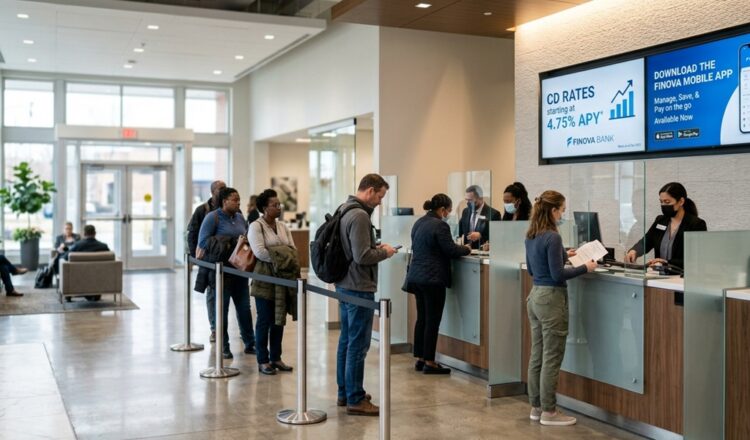
Workplace digital signage puts the message right where they’ll see it: on a screen at the entrance, above the time clock, or on the breakroom wall.
Why Digital Signage is the Best Channel to Reach Frontline Workers
Digital signage works because it doesn’t ask frontline employees to go out of their way.
Most communications channels are action-based. Log in, open the app, or check an inbox. This assumes employees are near a device with a minute to spare, or that they have a corporate email address at all. Your office teams do; your plant, warehouse, or night shift teams don’t.
According to Appspace’s 2026 workplace experience report, when key info gets missed, the frontline is the first to be impacted. Meanwhile, 91% of employees say being kept consistently informed makes them more engaged and motivated.
A digital signage screen in a shared space is the best way to reach your frontline. The message is always there when an employee goes by. They don’t have to remember a password or get to a computer.
Digital signage for frontline teams works best when you follow these three guidelines:
- Put screens in the right locations
- Keep signage content current and relevant
- Make sure your signage hardware is reliable
1. Where to Place Digital Signage Screens for Frontline Teams
When you’re placing your screens, you’re also selecting your audience. Location determines who sees the message, how long they have to read it, and what content belongs on it.
Timing goes hand-in-hand with location. In fact, 34% of employees say bad timing is the most common reason they miss updates. The right screen in the right place catches a frontline employee at the right point in their day.
These digital signage placements are good spots to start:
At the Entrance or Time Clock
Everyone on shift passes this area, and everyone is in a hurry. Long paragraphs and repeat info won’t get read here.
Use this screen for simple versions of essential messages: area closures, start time changes, notices about new procedures. Keep it fresh by constantly rotating in new messages. If it takes more than five seconds to read, move it to another screen with more dwell time.
In the Breakroom or Cafeteria
This area has a smaller audience but a much longer dwell time. People need something to look at, especially if your site has a no-phones policy.
Use this screen for longer-form content: executive videos, reminders about open enrollment, new hires, anniversaries, or recognition. But remember to keep it current; nobody cares about the summer schedule in October.
On the Production Floor or Warehouse
This is a busy area where attention is at a premium. It’s also where workers spend most of their day. Important messages deserve to live here, but they shouldn’t waste workers’ time with irrelevant info.
Use this screen for targeted, relevant messages: quality updates, line targets, and safety guidance for this zone. Only show info that matters to the people who see it.
2. How to Keep Digital Signage Relevant to Avoid Messaging Fatigue
Too much messaging is just as much of a problem as too little. 26% of employees say they miss updates because they’re overwhelmed by messages and channels, while 24% say it’s because messages are too long or unclear.
If you want to make your signage content engaging, match it to the right person, place, and moment. Here are the three ways to do it:
Update Your Content Regularly
Stale messages become background noise. Make sure you’re consistently refreshing your signage content. Set up a fixed schedule as part of your work week, so you don’t accidentally let signage updates slide because things got busy.
Tailor Your Messaging
Filter messages to relevant audiences instead of pushing them to every screen. Target by site, department, language, or urgency. Think critically about which workers are most likely to view each screen, then customize the content on each.
Set Targeting Rules Before You Publish
Decide which messages should go to which audiences, and who’s responsible for posting. Agree on what counts as urgent enough to override every screen at once. Divide non-urgent messages into tiers. For instance, a cafeteria menu change and a corporate policy update shouldn’t run at the same level of importance.
3. Why Reliable Hardware is Critical for Internal Communications
A communication channel is only as trustworthy as its uptime. You can’t afford to have screens that go dark, freeze on last week’s content, or need a site visit for a fix. As soon as your signage starts acting up, your employees start treating it as just another piece of furniture.
Use this checklist to test the hardware reliability of your digital signage:
- Is the screen built for continuous operation?
- Can the screen restart itself after an issue?
- Can the screen play during a network outage?
- Do you have remote visibility into the screen’s status?
- Can you manage or update multiple screens at once?
- Can you see what’s playing on the screen in real time?
- Can your network handle content delivery to all your screens at once?
How Appspace and BrightSign Simplify Digital Signage
A successful digital signage rollout needs both easy-to-use software and reliable hardware. Combining the two-in-one platform is the simplest setup to manage.
Appspace is natively integrated with BrightSign, bringing both digital signage functions together in one place.
Appspace’s workplace digital signage runs the software layer: content creation, targeting, scheduling, localization, governance, and emergency overrides. BrightSign handles the hardware endpoints: purpose-built digital signage media players running on BrightSignOS™, offering remote management and offline playback.
One combined platform means one dashboard to manage your signage and one team to run it. It also means easier screen placement, better message targeting, and more reliable hardware.
Placement: One Platform for Every Screen
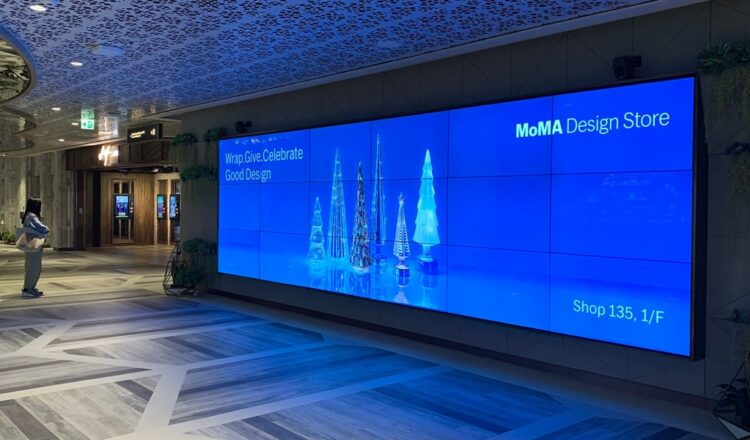
A lobby video wall, a breakroom display, and a production-floor screen have different jobs. BrightSign’s range of players lets you match the device to the placement instead of having to standardize around whatever the site first bought.
Appspace delivers the same viewing experience across every BrightSign player. It also works on screens you didn’t buy for signage, like meeting room screens.
Relevance: Target Messaging at Multiple Sites from the Same Dashboard
If you have a plant in Ohio and a headquarters in New York, your communications team shouldn’t have to log into two separate systems to update each set of signage.
Appspace runs every display from the same dashboard. You can route content so each location only sees what’s relevant and set role-based posting permissions without opening up the whole network. In an emergency, you can send override broadcasts to every screen at the same time.
Live feeds from Power BI and SharePoint pull operational numbers onto screens without someone having to manually rekey them. Anyone on the communications team can grab content templates from the shared library to quickly spin up fresh messaging. AI helps draft layouts and translate content into languages spoken at each location.
As your signage scales up across multiple sites, your team needs this kind of easy management to keep them from pulling their hair out.
Reliability: Screens Stay Live, with Visibility from Anywhere
Consumer TVs don’t make for reliable digital signage. You’re likely to spend as much time troubleshooting screens as you are managing your posts.
BrightSign’s players and BrightSignOS are built specifically for digital signage, with one of the longest warranties in the industry. They’re designed with automated fault detection and self-healing capabilities to keep your content running without a costly or time-consuming site visit. With BrightSign, your team can remotely monitor screen health, diagnose devices, and schedule reboots with ease.
Combined with Appspace, you can layer on even more monitoring features: offline alerts, scheduled app updates, and live screenshots of what each BrightSign player is actually showing. Local caching keeps playback going through a network interruption, and fallback loops prevent a black screen if a stream fails, ensuring content is always running.
The Solution that Brings All Three Together
A global power management company uses Appspace and BrightSign to reach an industrial workforce spread across offices, plants, and labs. One content system serves multiple audiences, with a network that neither the communications team nor the IT team needs to babysit. Read the full story here.
Final Thoughts
Placement, relevance, reliability. Nail all three with your digital signage strategy, and your frontline employees will be better informed, more invested, and more productive.
Together, Appspace and BrightSign are the fast track to digital signage that gets the job done right. See more about how Appspace and BrightSign work together or contact us to get started.